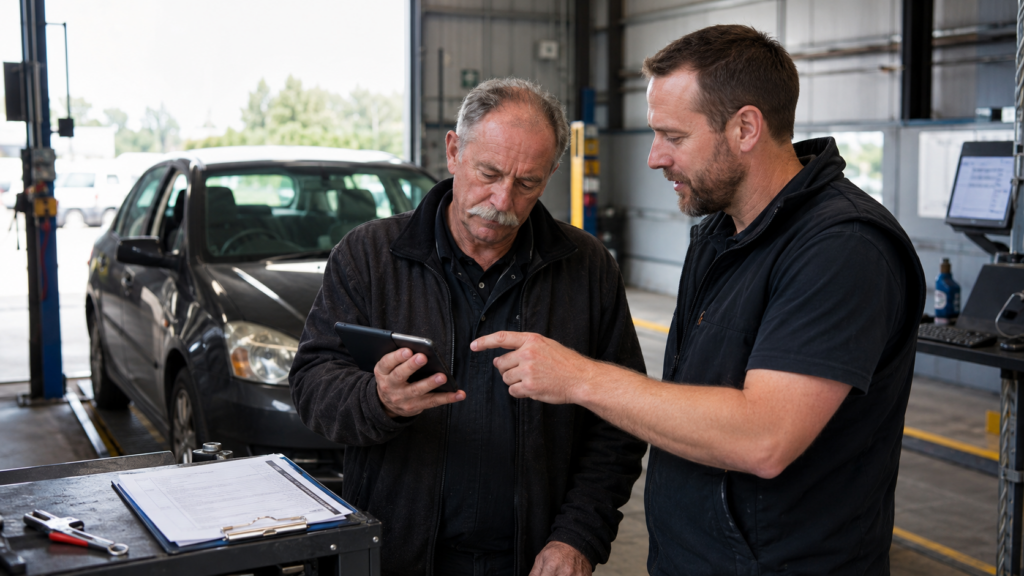
How to Get a Reluctant WOF Inspector to Try a Digital Checksheet
Introducing a digital WOF checksheet may seem like an obvious improvement to a workshop owner.
It can reduce handwriting, make inspection records easier to retrieve and simplify the way completed checksheets are managed.
But an experienced WOF inspector may not immediately see it that way.
You might hear:
“Paper works fine.”
“Using a phone will slow me down.”
“I don’t want another system to learn.”
“I’ve been doing WOFs this way for years.”
These reactions do not necessarily mean the inspector is against technology. In most cases, they are protecting a process they already understand.
An experienced inspector knows where everything is on the paper checksheet, how they move around the vehicle and how they record inspection outcomes. A new digital system can feel like a risk to that routine.
The best way to overcome this resistance is not to force an immediate workshop-wide change.
Instead, let the inspector try the complete digital WOF checksheet in free Demo Mode, without affecting any live WOF inspections.
Why WOF Inspectors Can Be Reluctant to Go Digital
A WOF inspector may have completed hundreds or thousands of inspections using paper.
They already have an established rhythm. Even a system designed to save time can feel disruptive before they have used it.
Most concerns come down to four things:
- Will it slow me down?
- Will I need to type everything?
- Will a phone or tablet be awkward in the workshop?
- What happens if I make a mistake?
These are reasonable questions. The aim should be to let the inspector test the system properly rather than trying to talk them into liking it.
“A Digital WOF Checksheet Will Slow Me Down”
This is one of the most common objections.
An inspector may imagine stopping throughout the inspection to navigate complicated screens or type lengthy descriptions.
A good digital WOF checksheet should reduce repetitive administration rather than add to it.
With eWOF™, inspectors can work through the digital checksheet, record inspection outcomes, select Reasons for Rejection, add comments and photos, and review the completed record.
The physical inspection does not change.
The inspector still examines the vehicle, applies the relevant inspection requirements and decides whether it passes or fails.
The digital system simply changes how that work is recorded and managed.
It is also important not to judge the process on the first attempt. Someone using paper for years will naturally be faster with it than with a system they have just opened for the first time.
Complete several practice checksheets before making a comparison.
“I Don’t Want to Type Everything”
Using an electronic WOF checksheet does not mean writing an essay for every inspection item.
Most of the workflow can be completed by selecting the relevant outcomes and Reasons for Rejection. Additional comments can be added when more context is useful.
Typed information can also help remove one of the frustrations associated with paper checksheets: difficult-to-read handwriting.
Clearer records can benefit:
- The inspector
- The office administrator
- Another inspector carrying out a recheck
- The workshop owner
- The customer
The aim is not to create more writing. It is to make the required information clearer and easier to use.
“A Phone or Tablet Is Not a Workshop Tool”
Some inspectors regularly use smartphones for calls, messages, maps and photographs but still feel that a phone does not belong in the inspection process.
That perception often changes once the device becomes a practical workshop tool.
A phone, tablet or computer can be used to record outcomes, attach photos and complete the checksheet without carrying paper around the vehicle.
The workshop can make the setup easier by choosing equipment that suits the inspector.
Consider:
- A workshop-owned phone or tablet
- A durable protective case
- A screen protector
- A suitable stand or holder
- A regular charging location
- A screen size the inspector finds comfortable
The device does not replace the inspector’s knowledge or judgement.
It replaces the paper used to record the inspection.
“What Happens if I Press the Wrong Thing?”
An inspector may worry that one incorrect tap will create the wrong official record.
This is exactly why their first experience should happen in free Demo Mode rather than during a live customer inspection.
Demo Mode gives the inspector time to learn how to:
- Start a checksheet
- Enter vehicle details
- Record pass or fail outcomes
- Select a Reason for Rejection
- Add a comment
- Attach a photo
- Review the inspection
- Correct an entry
- Complete the checksheet
- Retrieve the finished record
They can explore the full workflow without the pressure of a waiting customer or an official inspection.
Start With Free eWOF™ Demo Mode
The easiest way to introduce a reluctant WOF inspector to eWOF™ is to let them try it in free Demo Mode.
Demo Mode works in the same way as Live Mode.
The inspector can enter vehicle details, record inspection outcomes, select Reasons for Rejection, add comments and photos, and review the completed checksheet.
The only difference is that checksheets created in Demo Mode display a clear demo watermark.
This prevents a practice checksheet from being confused with an official live WOF inspection record.
It also means there is no need to complete both a paper and digital checksheet for the same live inspection just to test the system.
The workshop can continue using its current official process while the inspector practises separately in Demo Mode.
Try eWOF™ Demo Mode Free
Ask for One Test, Not a Workshop-Wide Change
One of the quickest ways to create resistance is to announce that the existing process is disappearing immediately.
That makes the inspector feel that the decision has already been made.
A smaller request is easier to accept.
Try saying:
“Could we run one workshop vehicle through Demo Mode and see how the digital checksheet feels? We are not changing the whole workshop today.”
The inspector is not being asked to make a permanent commitment.
They are simply being asked to test the system.
Use a Straightforward Workshop Vehicle
Do not make the inspector’s first digital checksheet a complicated inspection involving an unusual vehicle, a long list of defects or a customer waiting at reception.
Choose a familiar workshop vehicle or another suitable practice vehicle.
The purpose of the first session is to learn the digital workflow, not test the inspector’s technical knowledge.
A simple first trial could be:
- Open free Demo Mode.
- Choose a workshop vehicle.
- Enter the vehicle details.
- Work through the digital checksheet.
- Add one Reason for Rejection.
- Enter a short comment.
- Attach a practice photo.
- Review the completed watermarked checksheet.
There is no need to rush.
Give the inspector enough time to understand where everything is and how the process works.
Use a Five-Checksheet Trial
One practice attempt may not be enough for an inspector to form a fair opinion.
A short five-checksheet plan gives them enough experience to assess the system properly.
Checksheet 1: Learn the layout
Complete a straightforward Demo Mode checksheet without time pressure.
Checksheet 2: Repeat the process
Complete another practice checksheet with less guidance.
Checksheet 3: Add a failed item
Select a Reason for Rejection, add a comment and attach a suitable practice photo.
Checksheet 4: Review the completed record
Open the finished checksheet and practise locating the information again.
Checksheet 5: Complete it independently
Let the inspector complete the full Demo Mode workflow without assistance.
After the fifth checksheet, discuss what worked and what did not.
By then, the inspector’s opinion will be based on actual use rather than assumptions.
Let the Inspector Control the Trial
Avoid standing over the inspector and directing every tap.
Show them the basics, then let them operate the device.
Confidence develops through using the system, not simply watching someone else use it.
Ask neutral questions after each attempt:
- Which part felt easiest?
- Which part felt slower than expected?
- Was anything simpler than using paper?
- Was anything difficult to find?
- Would another few checksheets make it easier?
- Is the device comfortable to use?
- What would improve the process?
Do not finish by saying:
“See? Wasn’t that better?”
That can make the inspector feel pressured to agree or defend their original position.
The purpose of the trial is to gather honest feedback.
Compare the Whole WOF Process
When an inspector says paper is faster, they may only be thinking about the time spent marking the checksheet.
The complete paper process can also involve:
- Writing vehicle details
- Recording Reasons for Rejection
- Clarifying handwriting
- Taking paperwork to the office
- Creating a customer copy
- Filing completed checksheets
- Locating a previous inspection
- Finding information for a recheck
A digital WOF checksheet may create benefits for the inspector, office administrator and workshop owner at different stages.
When comparing paper with eWOF™, consider the full workflow from starting the inspection to storing and retrieving the completed record.
Focus on Problems the Inspector Actually Experiences
Workshop owners may be interested in reporting, administration and business efficiency.
Those benefits may not persuade the person completing inspections every day.
Focus on practical frustrations the inspector already understands.
Less repetitive handwriting
Reasons for Rejection can reduce the need to repeatedly write common information.
Clearer completed records
Typed entries remove confusion caused by difficult handwriting.
Easier record retrieval
Digital inspection records can be easier to find than paperwork stored in folders, cabinets or boxes.
Photos attached to the checksheet
Photos can provide useful context when recording inspection items.
Simpler rechecks
Access to previous inspection information can make it easier to see what was originally recorded.
Show the inspector how eWOF™ may remove frustrating tasks rather than presenting it as technology for the sake of technology.
Move to a Free Live Mode Trial When Ready
Demo Mode allows the workshop to practise without affecting live inspections.
When the inspector is comfortable with the workflow, the workshop can move to a free one-week Live Mode trial — or a full month free when referred by another garage.
Live Mode allows eWOF™ to be used for official WOF inspections, giving the team an opportunity to experience the complete system during normal workshop operations.
There is no need to make an immediate long-term commitment.
The workshop can:
- Practise in free Demo Mode.
- Build inspector confidence.
- Start the free one-week Live Mode trial.
- Use eWOF™ during official inspections.
- Decide whether it suits the workshop.
The transition can happen when the team is ready.
eWOF™ Costs $1 Per WOF in Live Mode
In Live Mode, eWOF™ costs $1 per WOF.
When your workshop is ready to begin using it for official inspections, you can increase your WOF price by $1 to cover the cost.
For example:
- Current WOF price: $65
- eWOF™ cost: $1
- Updated WOF price: $66
The extra $1 covers the digital checksheet cost, so introducing eWOF™ does not need to reduce the workshop’s existing margin.
Make sure any updated WOF price is clearly displayed wherever customers see or book the service.
A Digital Checksheet Does Not Replace Inspector Judgement
eWOF™ does not perform the physical inspection or make the pass-or-fail decision.
The WOF inspector still:
- Inspects the vehicle
- Applies the relevant requirements
- Uses their technical knowledge
- Identifies defects
- Determines the inspection outcome
- Takes responsibility for the inspection
The digital checksheet supports the inspector by recording and managing the work.
It does not replace their skills or professional judgement.
Let the Inspector Try It
A reluctant WOF inspector is unlikely to be persuaded by a long meeting or a list of software features.
Let them use the system.
Start with one workshop vehicle and one free Demo Mode checksheet. Give the inspector time to work through the process, add a Reason for Rejection, enter a comment, attach a photo and review the watermarked record.
Repeat the process until it feels familiar.
When the team is ready, move to the free one-week Live Mode trial, then simply add the small per-WOF cost to the workshop’s WOF price to keep it cost-neutral.
The path is simple:
Practise free in Demo Mode → build inspector confidence → start the free one-week Live Mode trial → add the per-WOF cost to your WOF price.
Try eWOF™ Demo Mode Free
Give your inspector the opportunity to experience the complete digital WOF checksheet without changing your current live inspection process.
Start with one inspector, one workshop vehicle and one free Demo Mode checksheet.
Try eWOF™ Demo Mode Free